Zomato Food Image Generator
Transform your mobile food photos into professional, branded images for Zomato. Upload a reference photo of your dish, and get 3 stunning AI-enhanced images with your logo and brand colors — all for just ₹100.
500+
Restaurant menus improved
2-4 hrs
Typical delivery time
4.8/5
Average partner satisfaction
How It Works: Reference Photo to Branded Menu Images
Our process ensures your Zomato images look professional while accurately representing your actual dishes — keeping both Zomato and your customers happy.
Step 1
Upload Your Reference Photo
Take a simple photo of your dish with your mobile phone. This reference image ensures the AI-generated result matches your actual food — no misleading photos, no customer complaints.
Step 2
Add Your Branding
Upload your restaurant logo and select your brand colors. We'll incorporate your branding into the final images for a consistent, professional look across your Zomato menu.
Step 3
AI Enhancement
Our AI transforms your amateur reference photo into professional food photography — proper lighting, appetizing angles, clean backgrounds — while keeping your dish recognizable.
Step 4
Get 3 Branded Images
Receive 3 variations of your branded food image, ready to upload to Zomato. Choose your favorite or use different versions for menu, promotions, and social media.
Zomato Gold Image Guidelines
See What You Can Create
Zomato-optimized food images for delivery
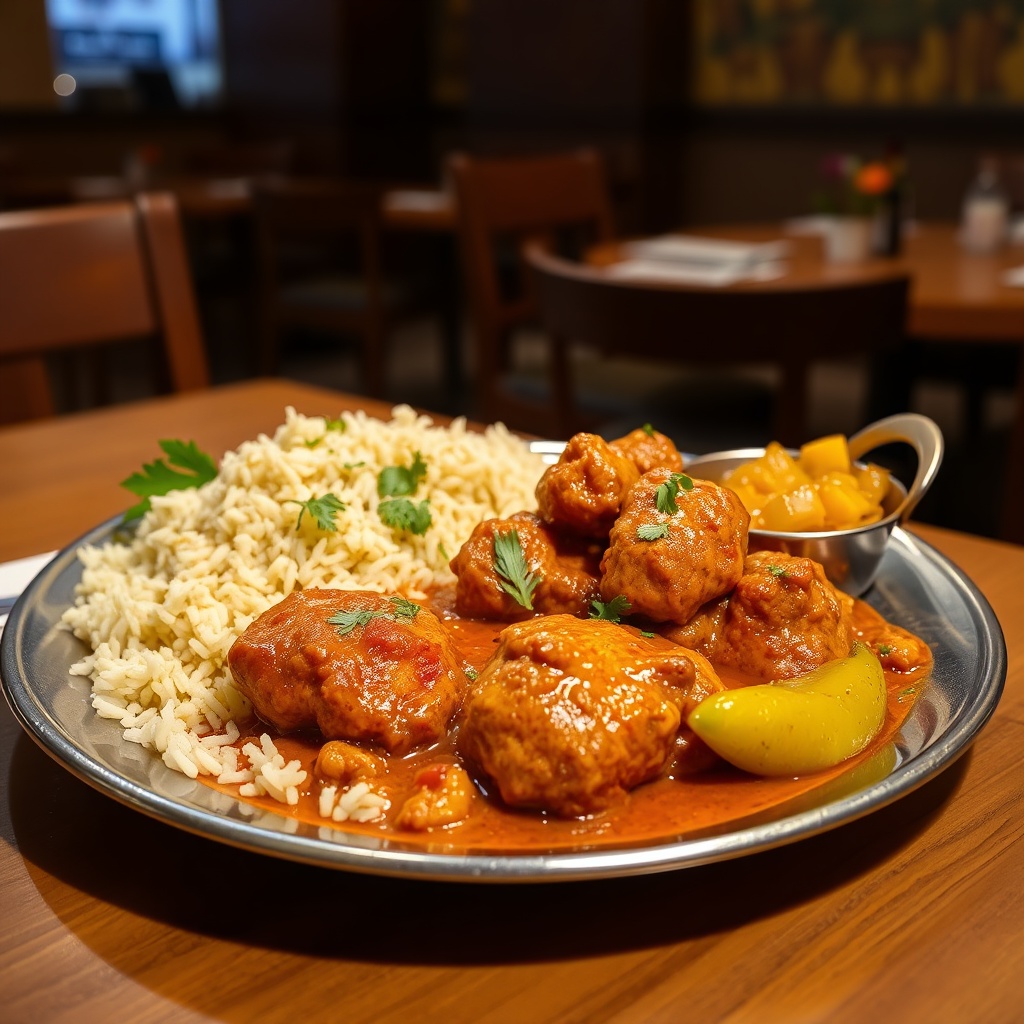
Chicken tikka masala
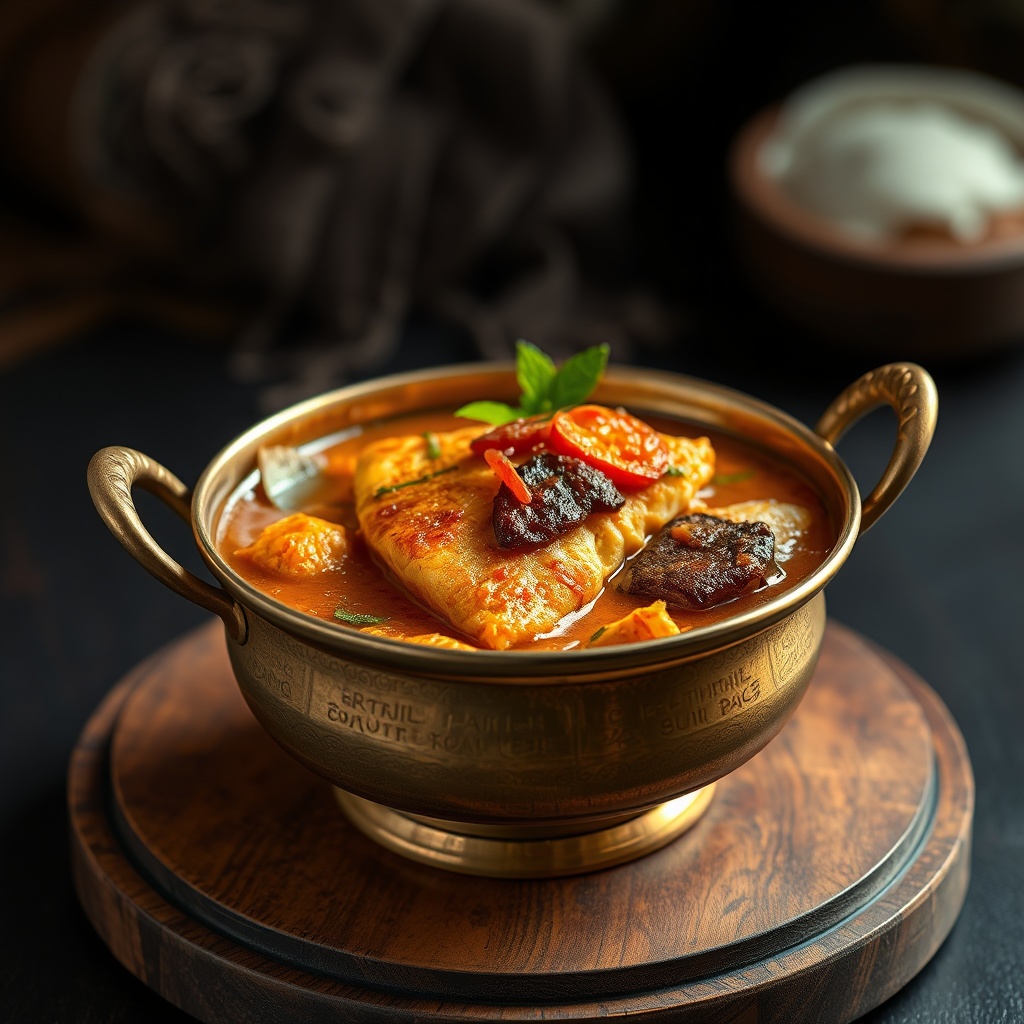
Fish curry with appam
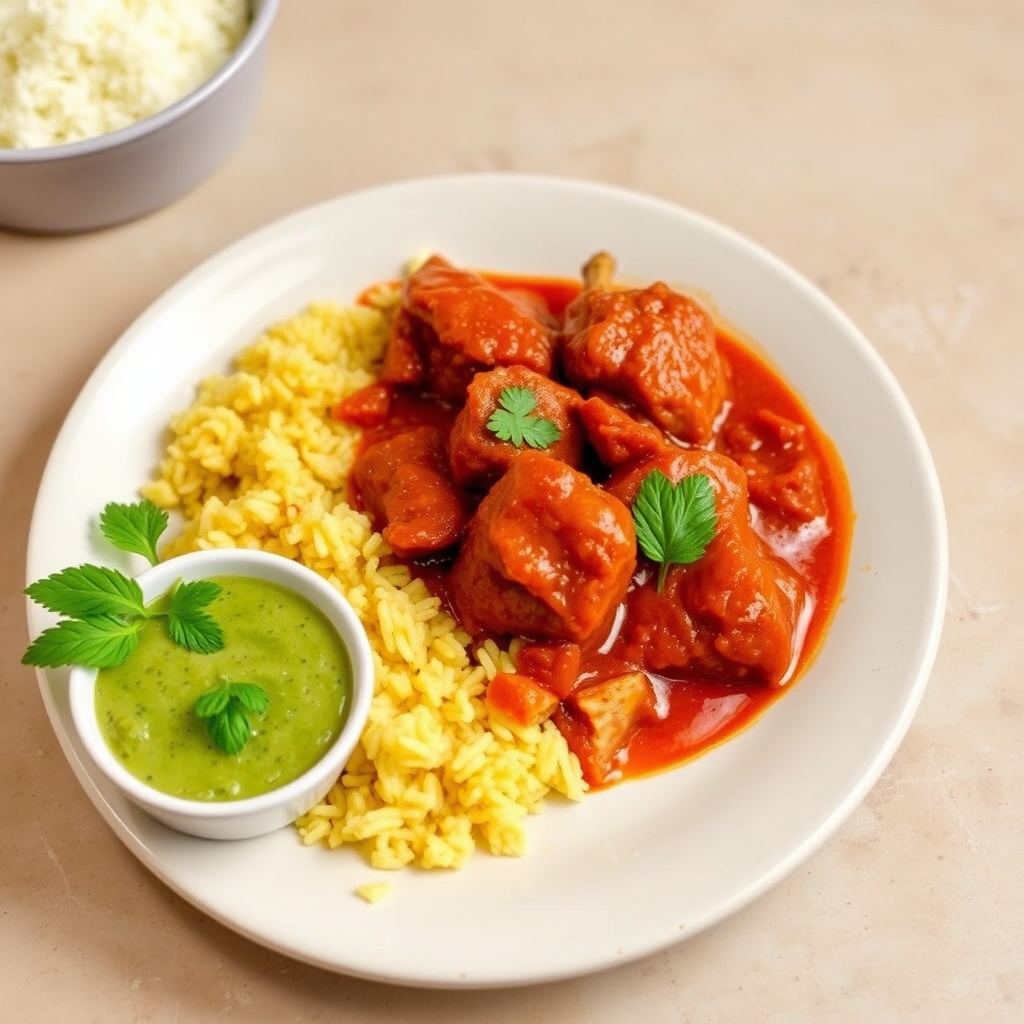
Lamb rogan josh
Upload reference image for Zomato-style guidance
🔥 Zomato Gold • 📸 Professional Photography • ⭐ Rating Boost
Frequently Asked Questions
Everything you need to know about Zomato menu optimization
Why We Need Your Reference Photo
For Zomato Acceptance
Zomato requires that menu photos accurately represent your dishes. Completely AI-generated images without reference can be rejected. By using your actual dish as the base, we ensure your photos meet Zomato's guidelines.
For Customer Trust
When customers order based on your menu photos, they expect to receive what they saw. Our reference-based approach means the AI-enhanced image still looks like YOUR food — just professionally photographed.
For Accuracy
Every restaurant's butter chicken looks different. Your plating, portion size, and garnishing are unique. The reference photo ensures the final image matches what you actually serve.
What makes a good reference photo:
- •Clear, well-lit shot (natural daylight works best)
- •Dish in center of frame
- •No hands or people visible
- •Clean background (plain table or plate)
- •Shows the actual portion size you serve
Why your Zomato menu photos matter
Poor quality images mean fewer orders.
Zomato receives over 10,000 food photos daily from restaurant partners — most taken on mobile phones. Restaurants with professional food photography get significantly more orders than those with amateur mobile shots.
Solution
Professional Branded Photos That Match Your Real Food
Our approach is different: we enhance YOUR actual dishes, not create fictional food.
- Look like studio photography
- Match what you actually serve
- Include your logo and brand colors
- Meet Zomato's photo requirements
- Build customer trust
What You Get with Every Order
Your Branding, Your Identity
- •Your logo placed professionally
- •Your brand colors in backgrounds/accents
- •Consistent styling across all menu items
- •Professional restaurant aesthetic
Zomato-Optimized Specs
- •Recommended dimensions (1920x1080 for hero, 1:1 for menu items)
- •Proper aspect ratios for mobile and desktop
- •High resolution for crisp display
- •JPEG format ready for upload
Professional Enhancement
- •Proper lighting simulation
- •Appetizing angles and composition
- •Vibrant, natural colors
- •Clean, branded backgrounds
Reference-Based Accuracy
- •Maintains your actual food appearance
- •Same plating and portion size
- •Recognizable to customers who order
- •No misleading imagery
3 Variations Per Dish
- •Main menu listing
- •Promotional banners
- •Social media posts
- •Zomato Gold featured items
Pricing
Simple, Affordable Pricing
Reference photo → Professional branded images → ₹100 for 3
Compare to traditional photography:
- Professional food photographer: ₹500-1500 per dish
- Studio rental: ₹2,000-5,000 per session
- Props and styling: ₹1,000-3,000
- Total for 10 dishes: ₹10,000-20,000
With Gloo: ₹850 for the same 10 dishes
Specialized in Indian Food Photography
AI trained on Indian cuisine
North Indian
- •Butter Chicken
- •Paneer Tikka
- •Dal Makhani
- •Biryani
- •Pulao
- •Tandoori items
- •Naan, Roti, Paratha
South Indian
- •Dosa
- •Idli
- •Vada
- •Fish Curry
- •Appam
- •Chettinad dishes
Street Food
- •Chaat
- •Pani Puri
- •Bhel
- •Momos
- •Rolls
- •Kebabs
- •Vada Pav
- •Pav Bhaji
Desserts & Beverages
- •Gulab Jamun
- •Rasmalai
- •Kheer
- •Lassi
- •Chaas
- •Filter Coffee
- •Falooda
- •Kulfi
Regional Specialties
- •Gujarati Thali
- •Bengali Fish Curry
- •Rajasthani Dal Baati
- •Hyderabadi Biryani
Before & After: Reference to Professional
See how we transform mobile photos into branded Zomato images.
Use Cases
Perfect for Every Zomato Restaurant
Trust & Transparency
Honest Photos, Happy Customers
Many restaurants use stock photos or completely AI-generated images that look nothing like their actual food. Result? Disappointed customers, bad reviews, and Zomato rejections.
- •Every image is based on YOUR actual dish
- •Enhanced for professional quality, not altered to deceive
- •Customers get what they expect when they order
- •Builds long-term trust and repeat orders
Results
Real Results on Zomato
95% Lower Costs
₹100 vs ₹1,500+ for traditional photography per dish.
Same-Day Delivery
Get your branded images within hours, not weeks.
30%+ More Orders
Professional photos consistently outperform amateur mobile shots.
Fewer Customer Complaints
Reference-based images = food that matches the photo.
Higher Zomato Acceptance
Images based on your actual food meet Zomato's guidelines.
Consistent Branding
Every dish looks like it belongs to your restaurant.
Testimonials
What Zomato Restaurant Partners Say
Reference photo → Professional branded images → ₹100 for 3. The honest way to win on Zomato.
“We tried AI generators before but the images looked nothing like our dishes. Gloo's reference-based approach gives us professional photos that customers recognize when their order arrives.”
Cloud kitchen owner, Mumbai
“We updated our entire 30-item menu for less than what a photographer charged for 5 dishes. And the branding consistency is amazing.”
Restaurant owner, Bangalore
“The branded photos make us look premium. Customers comment that our Zomato page looks professional now.”
QSR franchise owner, Delhi
FAQ
AI Menu Generator FAQ
Why do you need a reference photo?
The reference photo ensures your AI-enhanced images accurately represent your actual dishes. This keeps Zomato happy (they reject misleading photos), keeps customers happy (they get what they expect), and keeps you happy (fewer complaints, better reviews). It's the foundation of honest, effective food photography.
What kind of reference photo should I take?
A simple mobile phone photo works perfectly. Use natural daylight if possible, place the dish on a clean, plain surface, capture the full dish in frame, avoid shadows or harsh lighting, and keep hands, utensils, or people out of the shot. The AI handles the rest.
What image size does Zomato recommend?
Zomato recommends 1920x1080 pixels for hero images (16:9 aspect ratio) and square format for individual menu items. Menu page dimensions are ideally 650x700 pixels. We deliver images in all required dimensions.
Will Zomato accept AI-enhanced photos?
Yes. Zomato accepts photos that accurately represent your dishes. Since our images are based on your actual reference photos (not stock images or completely fictional AI creations), they meet Zomato's requirements.
How is my branding incorporated?
We add your restaurant logo and use your brand colors in the background, accents, and styling. The result is a cohesive, professional look across your entire menu.
How long does it take to get my images?
Most orders are delivered within 2-4 hours during business hours. Bulk orders (full menu) may take up to 24 hours.
Can I use these images on Swiggy too?
Absolutely. The images work on Zomato, Swiggy, your website, social media, and print menus. We provide multiple sizes suitable for all platforms.
What if I'm not happy with the result?
We offer one free revision per dish. If the AI interpretation does not match your expectations, share feedback and we will regenerate with adjustments.
Do you handle bulk orders for large menus?
Yes. We offer discounted packages for 5, 10, and 25+ dishes. Contact us for custom pricing on menus larger than 50 items.
How do I upload photos to Zomato after?
Log into the Zomato for Business app or Partner Hub → Go to Menu Management → Click on any item → Upload the new image → Save. Changes typically reflect within 24-48 hours.
Get Professional Zomato Photos Today
Upload your reference photo, add your branding, get 3 professional images for just ₹100.
✅ Reference-based accuracy • ✅ Your branding included • ✅ Zomato accepted