Digital Signage Software for Retail Screens
Show products, offers, reviews, and announcements on every store TV from one simple dashboard. Update screens in minutes instead of chasing manual changes in each location.
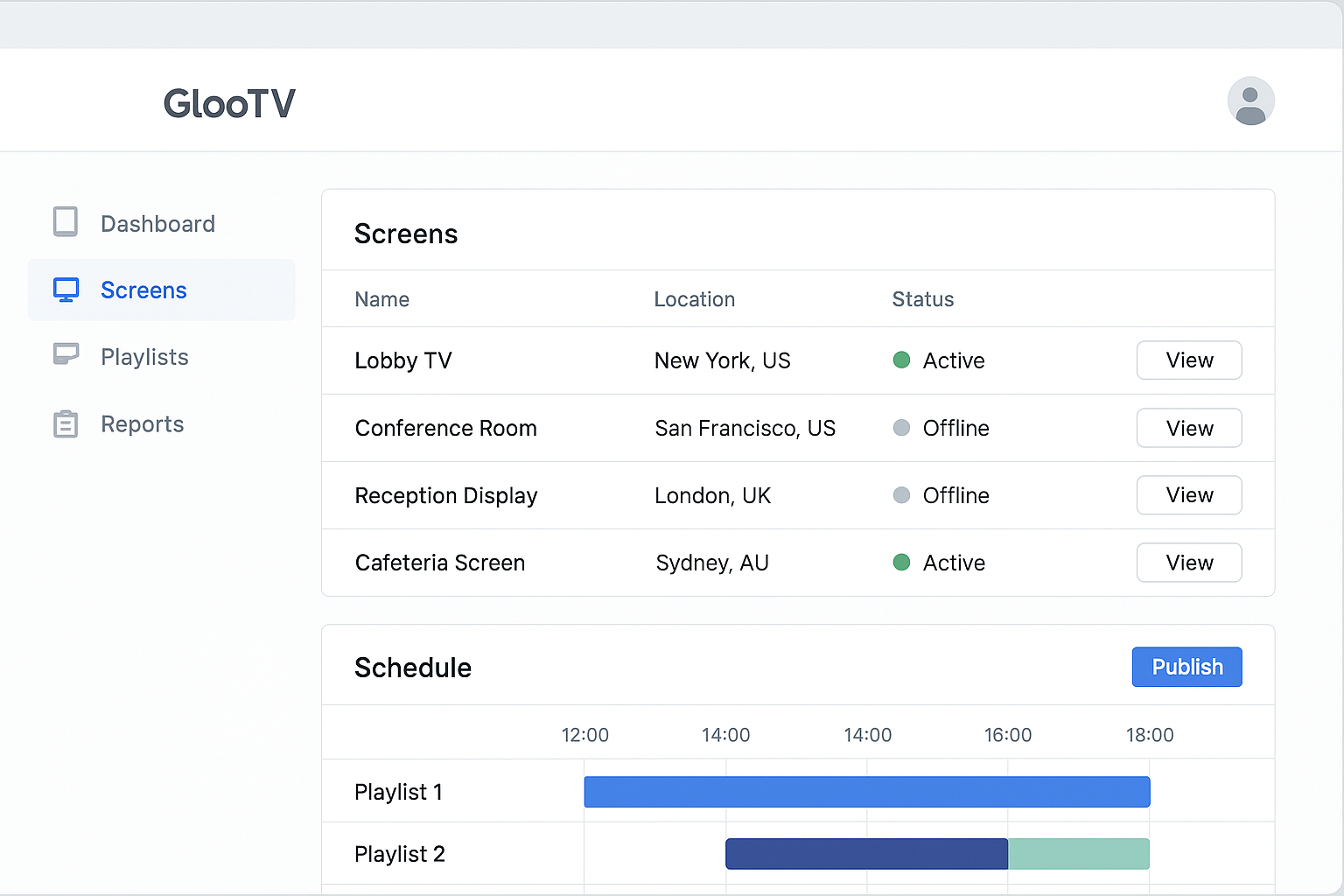
Update offers, product loops, and review content across locations from one dashboard.
Run store screens from one place
What this lets you do
This gives your team one place to run store screens. You can schedule content, group screens by location, and keep TVs current without USB drives, reprints, or store-by-store edits.
Why teams use it
- Retail operators who need consistent screens across multiple stores
- Marketing teams launching product, campaign, and seasonal content fast
- Store managers who want ready-to-run screens without extra manual work
How it works
Connect your screens
Pair Android TV screens and group them by store, region, or campaign.
Build simple playlists
Mix products, offers, reviews, posters, and service messages into one loop.
Set timing rules
Schedule daily, weekly, and seasonal content changes ahead of time.
Publish in one step
Push updates to one store or every location in the cluster at once.
What you can show on the screen
Product highlights and new arrivals
Sales, offers, bundles, and flash promotions
Customer reviews and social proof loops
Brand posters, store events, and announcements
How teams stay in control
- Centralized screen publishing for one or many stores
- Simple playlist control for mixed screen content
- Scheduling by daypart, promotion window, and season
- Android TV support with grouped device assignment
- Regional and store-level targeting when campaigns differ
- Playback continuity when internet drops temporarily
Integrations
- Google Sheets or CSV menu feeds
- POS and catalog sync via API or structured data feed
- Google Reviews and social content sync
- QR-based customer ordering links
Device compatibility matrix
| Android TV app | Native app for Android TV and Google TV devices |
| Screen orientation | Landscape and portrait layouts with safe zones |
| Multi-location control | Push updates by location, region, or all screens |
| Offline continuity | Last published playlist stays on-screen during outages |
Value in day-to-day use
Update turnaround
Same-day screen changes
Pilot rollouts moved from manual changes to dashboard publishing
Store effort
Less local rework
Teams spend less time fixing screens store by store
Campaign consistency
Fewer content mismatches
Locations stay aligned on offers and product messaging
Context: wording reflects common rollout outcomes from retail teams moving from manual TV updates to centralized publishing.
Common store examples
Launch a weekend offer
Switch weekday content to promo-heavy screens for peak shopping hours.
Update every store at once
Roll out one approved campaign to all target stores in a single publish action.
Mix trust and conversion content
Run review snippets between product and offer slides to build confidence in-store.
Manual work vs cloud control
| Manual or static workflow | Cloud signage workflow |
|---|---|
| Store teams update TVs one by one | Head office pushes one update to every selected screen |
| Posters go stale until someone replaces them | Campaigns change on schedule without store intervention |
| No easy way to rotate content | Playlists handle products, offers, and reviews in one loop |
| Low visibility across locations | One dashboard shows which screens are assigned and current |
Frequently asked questions
1. What is digital signage software used for in retail?
It is used to run products, offers, reviews, announcements, and other store content on TVs from one dashboard.
2. Can I update screens across multiple stores quickly?
Yes. You can publish once to one store, a region, or every selected screen at the same time.
3. Can I run this on Android TV?
Yes. GlooTV supports Android TV so screens can be assigned and updated remotely.
4. Can I schedule campaigns in advance?
Yes. Promotions and content loops can be scheduled by daypart, date range, and campaign window.
5. What can I show on the screen?
Most teams run product highlights, offers, review content, posters, and store announcements in one screen loop.
6. What happens if internet drops?
Previously synced content stays on screen until the connection comes back.
Related pages
Retail-focused operations and campaign workflows
Product display workflows for retail screens
Offer and flash-sale workflows for store TVs
Compare consumer TVs and commercial signage setups
Put this on your screens without extra store work
Start with cloud publishing, simple schedules, and Android TV support so your team can keep every screen current from one place.