Screen Management Software for Menus, Offers, Reviews, and Services
GlooTV helps businesses use TVs for products, offers, reviews, posters, service lists, and menu screens. It gives teams one simple way to keep every screen current from one place.
Create a free account to explore GlooTV. If you choose premium, the monthly plan covers up to 3 TVs: ₹2,099 in India or $29 in the US. Payment starts only after you authorize checkout.
Retail teams running product, promotion, review, and poster loops
Restaurant teams managing menu, offer, and review content on screens
Service businesses showing services, trust content, and announcements in waiting areas
See a demo, talk to sales, or create a free account.
Share a few details and we will follow up with the right next step — whether that is a tailored demo, a quick call, or getting started with your own account.
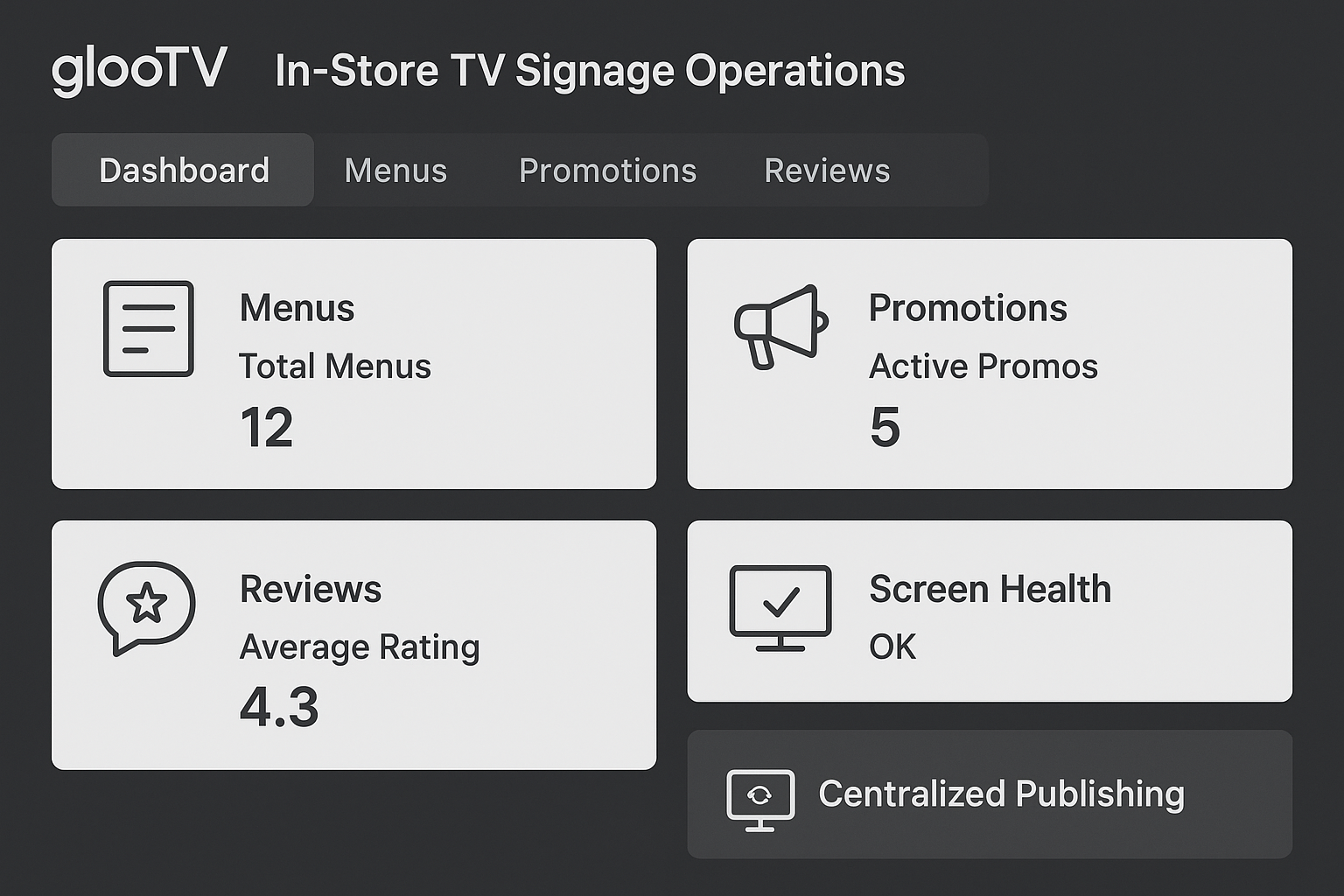
Use one workflow to keep menus, offers, reviews, and service screens updated.
Most changes move from local screen edits to dashboard publishing
Teams spend less time keeping screens current
Core content stays aligned while local needs stay possible
One product, many screen jobs
What this lets you show on the screen
GlooTV is the control layer behind your store and service-location screens. It helps you run the everyday content people actually need to see on TV, then update it without extra local work.
Menus, products, and promotional offers
One workflow for multiple types of TV content
Customer reviews and testimonial loops
Simple scheduling for campaign and daypart changes
Posters, event visuals, and brand campaigns
Android TV screen support
Service lists, guidance screens, and announcements
Multi-location publishing and targeting
Workflow
How teams stay in control
The point is not just publishing. It is making the screen feel managed, current, and easy to run across stores or branches.
Choose the screen job
Decide whether the screen needs to sell, explain, reassure, or inform.
Build the loop
Combine the right content blocks for that screen and location.
Apply timing and targeting
Use schedules and store groups to control when content appears.
Keep it current
Update from the dashboard instead of relying on local manual changes.
Screen workflow
What the screen looks like in practice
These are the kinds of screens a team can actually publish, instead of a generic brochure-style explanation.
Faster than manual changes
Most changes move from local screen edits to dashboard publishing
Menus, products, and promotional offers
Android TV screen support
Customer reviews and testimonial loops
Multi-location publishing and targeting
Less day-to-day upkeep
Teams spend less time keeping screens current
Customer reviews and testimonial loops
Multi-location publishing and targeting
Posters, event visuals, and brand campaigns
Content mixing across products, offers, reviews, and services
Better across locations
Core content stays aligned while local needs stay possible
Posters, event visuals, and brand campaigns
Content mixing across products, offers, reviews, and services
Service lists, guidance screens, and announcements
Centralized updates with less store-level manual effort
Control layer
How teams stay in control
One workflow for multiple types of TV content
Most changes move from local screen edits to dashboard publishing
Simple scheduling for campaign and daypart changes
Teams spend less time keeping screens current
Android TV screen support
Core content stays aligned while local needs stay possible
Multi-location publishing and targeting
Most changes move from local screen edits to dashboard publishing
Integrations and compatibility
Integrations
- Google Sheets or CSV menu feeds
- POS and catalog sync via API or structured data feed
- Google Reviews and social content sync
- QR-based customer ordering links
Compatibility
- Android TV appNative app for Android TV and Google TV devices
- Screen orientationLandscape and portrait layouts with safe zones
- Multi-location controlPush updates by location, region, or all screens
- Offline continuityLast published playlist stays on-screen during outages
Operations view
Manual work vs cloud control
Manual
Different screen jobs handled ad hoc
With GlooTV
One workflow handles products, offers, menus, and service messaging
Manual
Stores improvise their own screen content
With GlooTV
Central teams keep the content model consistent
Manual
Campaign changes create store work
With GlooTV
Publishing happens centrally with schedules and targeting
Manual
Useful TV content gets outdated quickly
With GlooTV
Screens stay current through repeatable updates
Day-to-day use
What teams get out of it
What teams typically see when moving from manual screen updates to centralized publishing.
Screen update speed
Faster than manual changes
Most changes move from local screen edits to dashboard publishing
Team effort
Less day-to-day upkeep
Teams spend less time keeping screens current
Message consistency
Better across locations
Core content stays aligned while local needs stay possible
Common store examples
Retail product and promo loop
Run product visuals with timed offers and trust content in a single store playlist.
Restaurant menu and specials
Use TVs for menus, daypart changes, and review-driven trust signals.
Service-location waiting area
Explain services, show testimonials, and keep visitors informed while they wait.
Video
GlooTV demo: run store screen content from one place
See how GlooTV handles products, offers, reviews, and other TV content with one publishing workflow.
FAQ
Frequently asked questions
1. What can GlooTV show on a screen?
Most teams use GlooTV for products, offers, reviews, posters, service information, and menu content.
2. Is GlooTV only for retail?
No. It is useful for retail, restaurant, and service businesses that want to keep TV screens current.
3. Can I manage multiple locations centrally?
Yes. Screens can be grouped and updated by location, region, or campaign.
4. Does it support Android TV?
Yes. Android TV is supported for pairing, assignment, and remote publishing.
5. Is GlooTV suitable for a business with just one or two screens?
Yes. Single-screen businesses use GlooTV to keep one TV current without manual updates. The same setup scales to multiple screens or locations without any changes to how you publish.
6. Can I run reviews and promotions together?
Yes. Reviews, offers, and other content blocks can be combined in the same loop.
7. How quickly can teams publish updates?
Once screens are configured, most updates can be published quickly from the dashboard.
Related pages
The main software page for store-screen control
Control store screens centrally across multiple locations
Run signage directly on compatible Android TV and Google TV
Review and social-proof screens
Comparison page for TV and signage decisions
See a demo, talk to sales, or create a free account.
Share a few details and we will follow up with the right next step — whether that is a tailored demo, a quick call, or getting started with your own account.