
India / Dubai · October 2026-January 2027

Diwali screen campaigns that make the next step clear.

Turn festive interest into orders you can fulfil. Customers are comparing gifts, dining plans and celebration services. Your campaign should answer what is included, when it is available and how to reserve it before stock or slots run out.

Public examples. No form needed. Sign up when you are ready to create or run your campaign.

Diwali plan: offer, creative, customer action
An original campaign planning illustration, not a customer performance result.
By Gloo Product and ResearchReviewed 2026-11-06 to 2026-11-08

How can my business run Diwali promotions across its screens?

Plan promotional playlists, schedule campaign windows and manage branch screens centrally with GlooTV. Pair screen-ready creative from Gloo AI Studio with accurate location-specific prices, menus and availability.

Before you create anything: agree the offer, available dates, branch details and one conversion action. Your caption, creative and destination should answer the same buying question.

Dhanteras is 6 November and Diwali is 8 November in the referenced 2026 calendar. Dubai campaign dates may span the wider Festival of Lights. These dates guide planning; they do not imply official festival participation.

Three starting points

Campaigns built around a real buying decision.

Adapt these examples to your actual products, prices and availability. They are sample briefs, not case studies or claims about customer results.

01 / Restaurant

A Diwali dining and gifting campaign

Separate dine-in reservations from sweet-box collection. Show menu contents, dietary details, lead time and last order date.

Screen brief: put the product or service first, keep offer conditions legible at viewing distance, and rotate a branch-specific next-step slide. Preview the actual screen orientation before scheduling.

Sample screen message: Celebrate around our Diwali table. Explore the festive menu or pre-order a gift box.
02 / Jeweller

A Dhanteras collection with transparent terms

Use actual product photos and clear making-charge or offer conditions. Avoid guaranteed investment-return messaging.

Screen brief: put the product or service first, keep offer conditions legible at viewing distance, and rotate a branch-specific next-step slide. Preview the actual screen orientation before scheduling.

Sample screen message: Explore our Dhanteras collection. Visit the showroom for current prices and offer details.

03 / Salon

A festive service package with visible availability

List the actual services and appointment duration. Publish a booking deadline only when your calendar supports it.

Screen brief: put the product or service first, keep offer conditions legible at viewing distance, and rotate a branch-specific next-step slide. Preview the actual screen orientation before scheduling.

Sample screen message: Your Diwali look, planned ahead. Choose a service and check the next available appointment.
Download the brief and seven-day checklist

Seven days from idea to an approved campaign.

This is an execution sequence, not a guarantee that every campaign takes seven days. Give approvals, fulfilment and reservations the lead time they need.

Have these ready

Your logo and colours; actual product photos; confirmed offer terms; branch details; buying or booking destination; and a named person to approve publishing.

  1. Day 1

    List branches, screens, orientations and the customer decision at each screen.

  2. Day 2

    Confirm current menu or product information and campaign start and end times.

  3. Day 3

    Prepare legible, screen-ready creative with one offer and one action.

  4. Day 4

    Build the playlist and separate menu information from promotional messages.

  5. Day 5

    Schedule the appropriate branch and daypart; set a campaign expiry.

  6. Day 6

    Check the actual display at each relevant screen and correct local differences.

  7. Day 7

    Review screen status and business outcomes; restore evergreen content after the campaign.

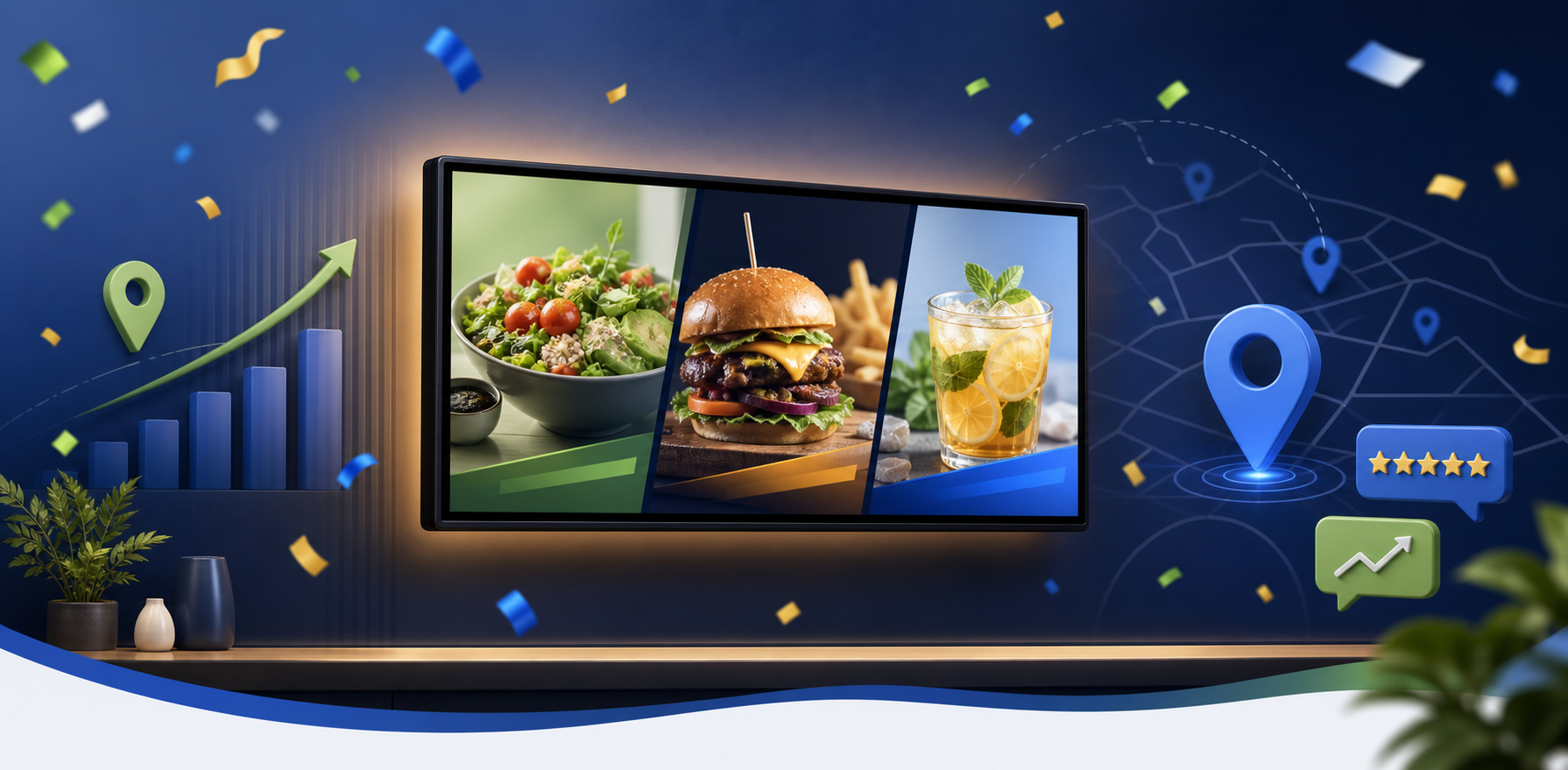
GlooTV product illustration from the Gloo product asset library
GlooTV product illustration; not a screenshot of a live customer fleet.

GlooTV

Put the right offer on the right screen, at the right time.

Plan promotional playlists, schedule campaign windows and manage branch screens centrally with GlooTV. Pair screen-ready creative from Gloo AI Studio with accurate location-specific prices, menus and availability.

Managing multiple branches? Keep central brand control while adapting local menus, offers and campaign times. This page is about screen fleet campaigns, not video walls.

Plan my screen campaign

Before you launch

When should I launch my Diwali campaign?

Work backwards from 2026-11-06 to 2026-11-08. Start sooner when customers need to reserve appointments, order gifts or approve group bookings. Dhanteras is 6 November and Diwali is 8 November in the referenced 2026 calendar. Dubai campaign dates may span the wider Festival of Lights.

What does GlooTV help my business do?

Plan promotional playlists, schedule campaign windows and manage branch screens centrally with GlooTV. Pair screen-ready creative from Gloo AI Studio with accurate location-specific prices, menus and availability.

Can I use the campaign examples without signing up?

Yes. The sample captions, creative brief and seven-day checklist are public. Sign up to create assets or run connected product workflows. Product usage depends on your plan, credits, permissions and connected accounts.

Will this guarantee more bookings or a number-one search ranking?

No. Offer relevance, demand, location, competition and execution all matter. Use the campaign to remove buying friction and compare actual enquiries, visits and orders with an equivalent previous period.

Calendar sources and scope

Dates are grounded in the sources below, reviewed 4 October 2026. Campaign recommendations are Gloo's editorial guidance, not findings attributed to these calendar publishers.

Take the campaign to the next channel.

Plan my screen campaign